Offload and label every card at once
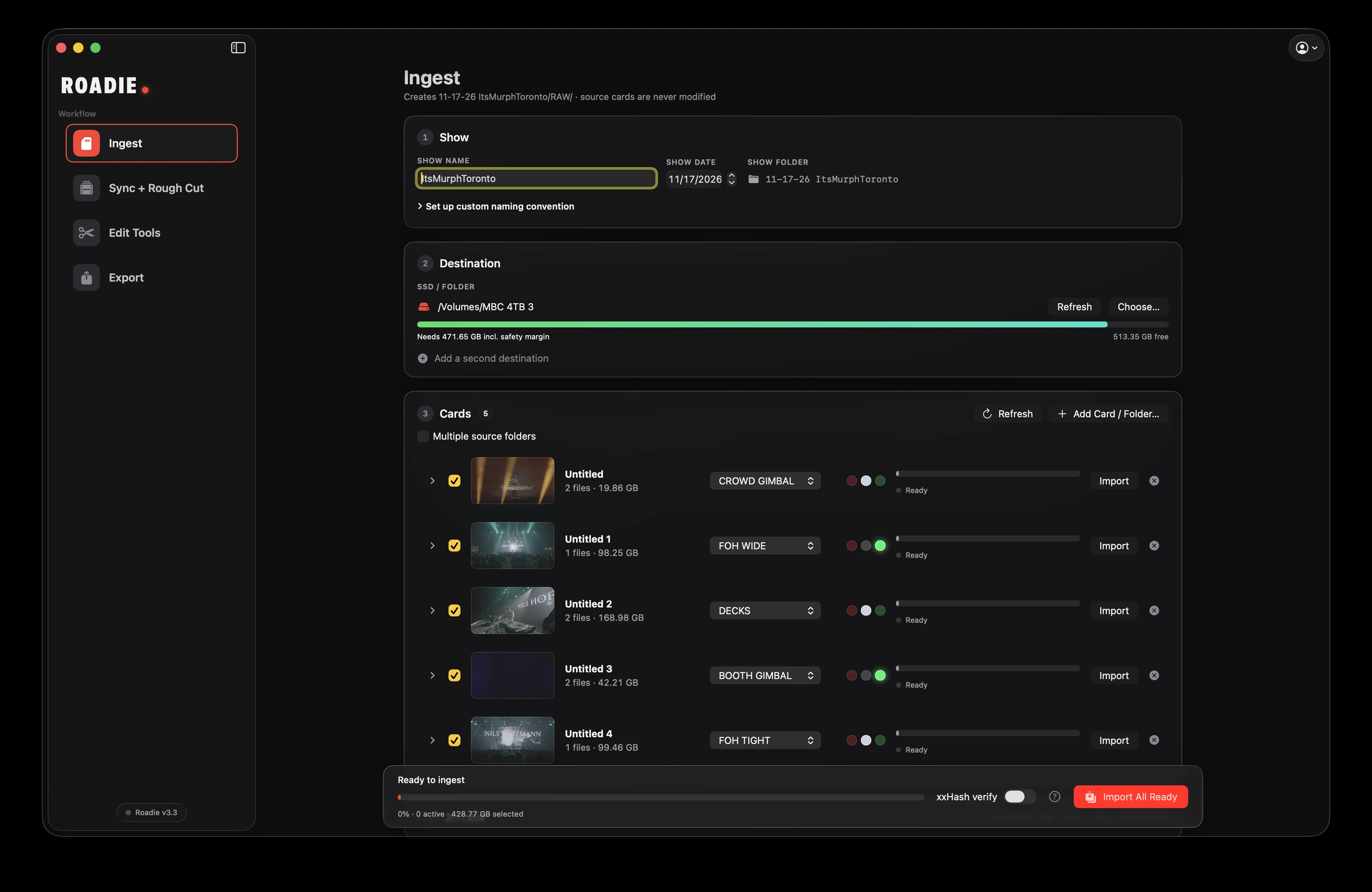
Trim clips before importing. Label and copy cards into an organized show folder. Verify with xxHash.
Cut out the repetitive build and export process so that you can turn around deliverables faster and sleep more.
Have a rough cut ready before you finish packing up your gear.
For Mac · Card required
Windows in development
WORK WITH YOUR EDITOR
DaVinci Resolve Studio is the primary, fully tested integration. Premiere Pro is in beta. Final Cut Pro is in development. Auto Zoom is Resolve-only.
Keep your footage, your editor, and your creative decisions. Let Roadie handle the repetitive work between them.
Trim clips before importing. Label and copy cards into an organized show folder. Verify with xxHash.
Sync your cameras to the main mix, build a multicam timeline, and create a beat-based rough cut. Shape the pacing with profiles and cutting rules.
Apply angle and color grade fixes across the edit, automate zooms, and quickly copy to social formats.
Turn marked moments into clips. Queue renders, use your configured Topaz workflow, and send exports on to your Dropbox or Google Drive in one click.
Choose a step to see Roadie in action, then open its tutorial for the details.
Select files, trim without re-encoding, verify with xxHash, and generate MHL manifests, offload reports, roll names and contact sheets.
Open the tutorial ↗Choose Roadie Sync, Syncaila 3 or Timecode. Set track order, frame sizes, angle priorities, grade, markers and cutting rules before you build.
Open the tutorial ↗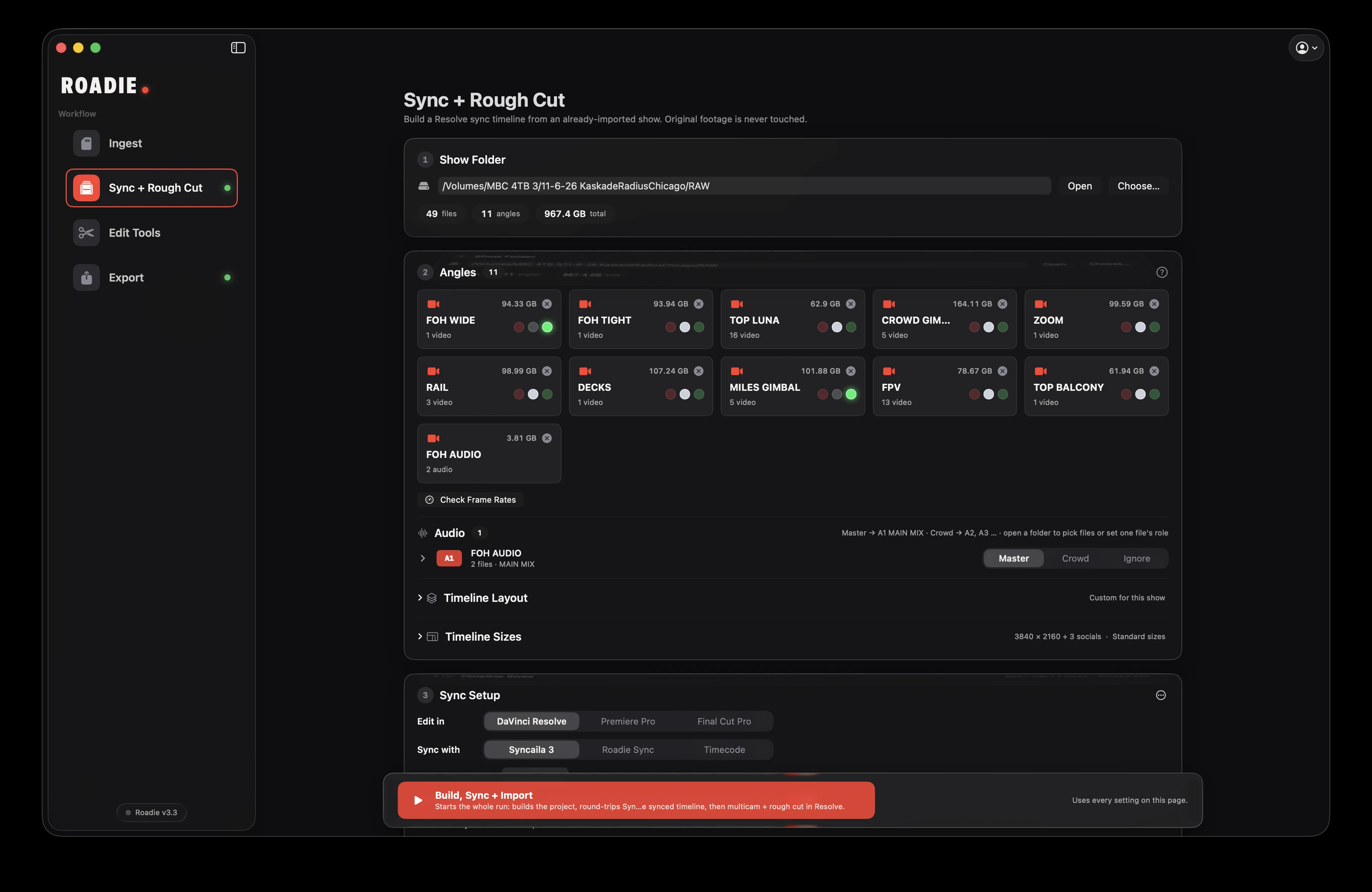
Copy angle and grade fixes, automate zooms in Resolve, find highlights, re-cut a section and carry your edit into social timelines. Snapshots keep a way back.
Open the tutorial ↗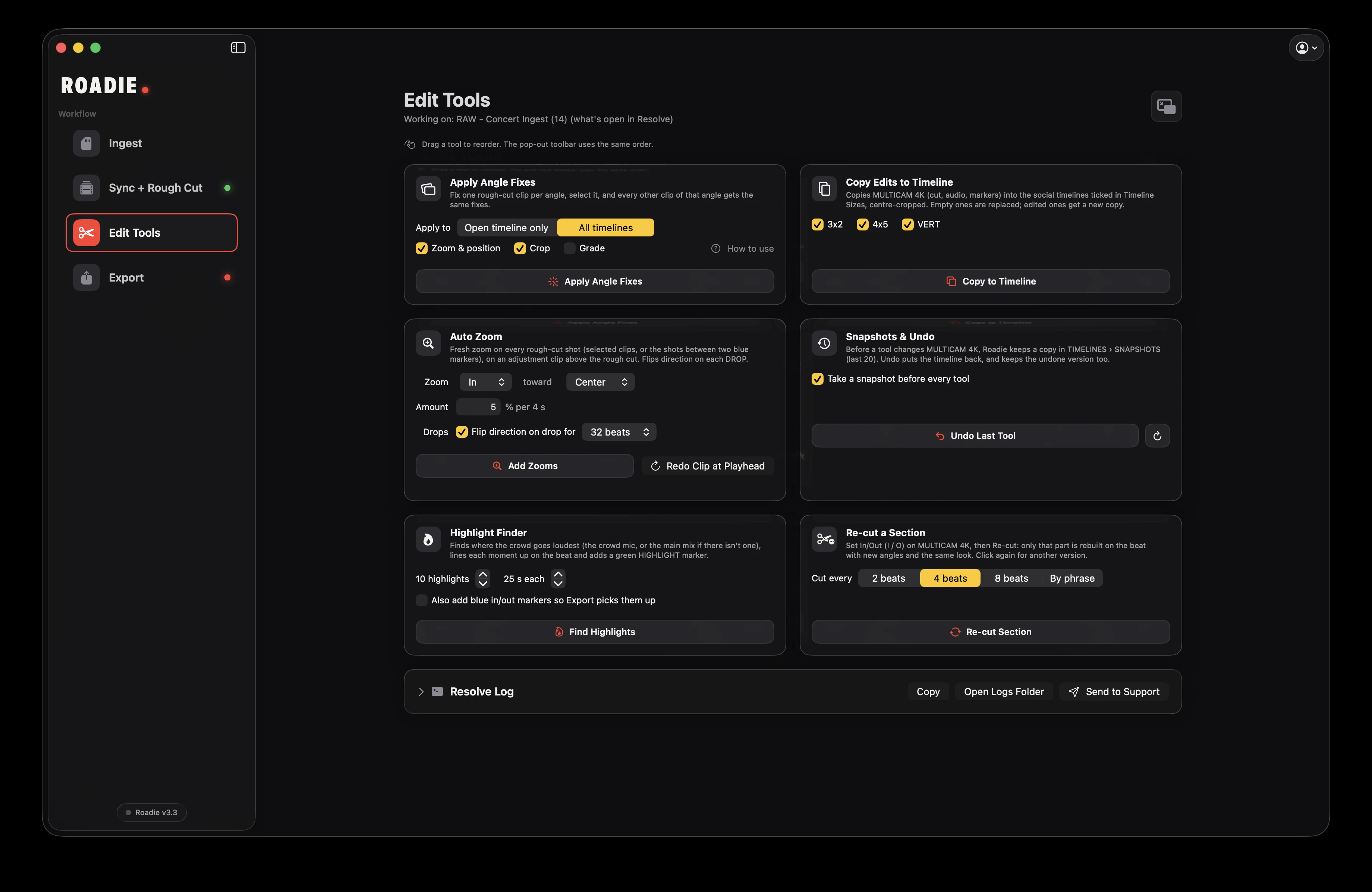
Queue blue-marker clips, follow each through rendering and optional Topaz enhancement, then deliver to Dropbox or Google Drive with a phone notification.
Open the tutorial ↗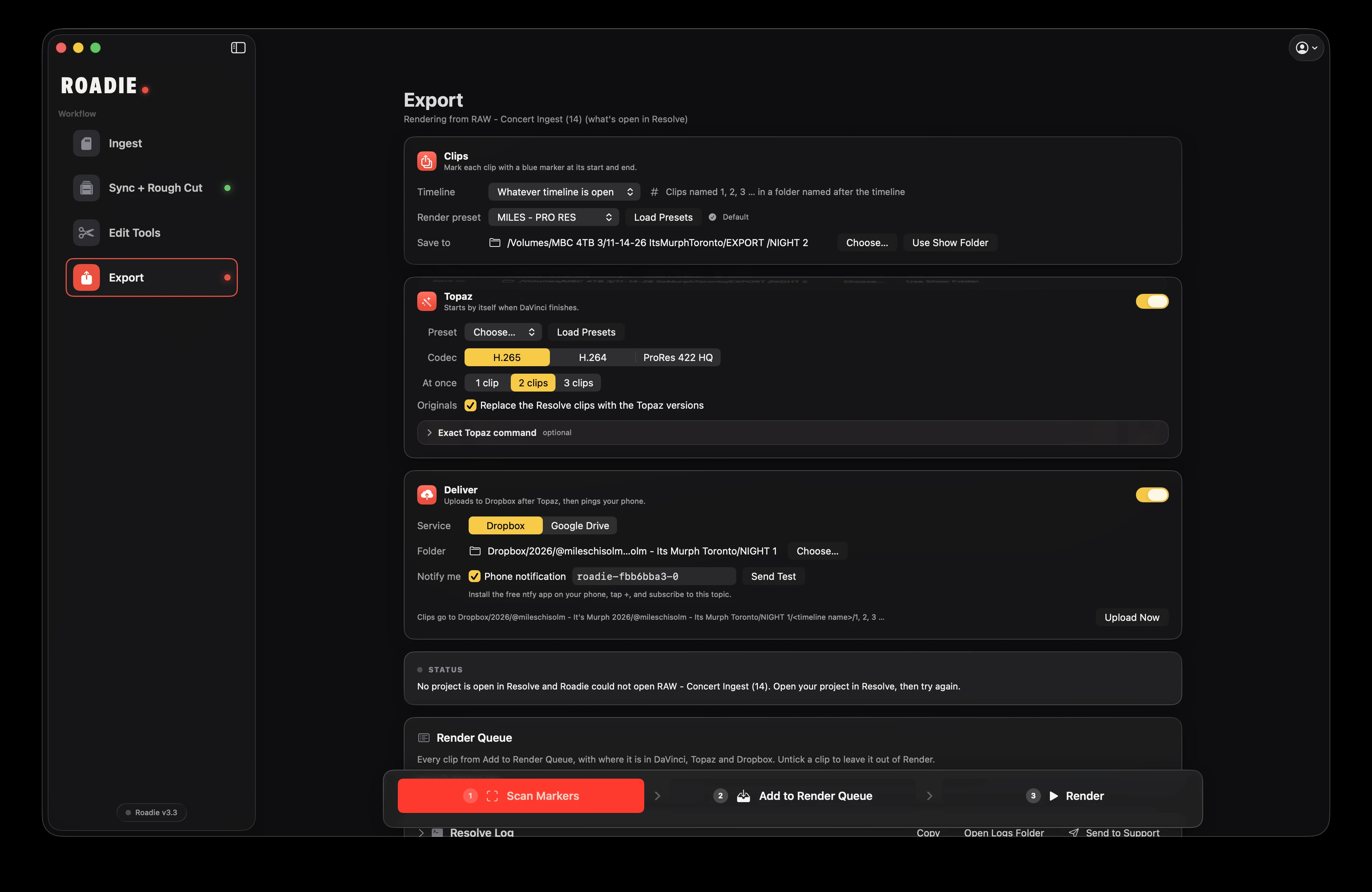
Roadie gets the repetitive work out of the way. Your rough cut stays editable, your original footage stays untouched, and your tools stay part of the workflow.
Find your plan ↗Available for Mac. Windows is in development.
Buy it once, or take it month by month.
Best value for regular use.
$199 launch price. One payment, including all future updates.
Flexible, month to month.
Payment card required. After 7 days, your subscription automatically renews at $19/month unless canceled.
Payments handled by Polar.
Roadie is available for Mac. Windows is in development; no release date has been announced.
Concert videographers and editors working with multiple cameras who want a shorter path from a night of footage to edited social clips.
No. Roadie works alongside DaVinci Resolve Studio, the primary integration, and Adobe Premiere Pro (beta). Final Cut Pro integration is in development. Auto Zoom is Resolve-only.
The trial requires a payment card. After 7 days, it automatically becomes a $19/month subscription unless you cancel before the trial ends.
The $199 one-time purchase includes Roadie and all future updates, without a recurring subscription.
Roadie’s ingest workflow copies and verifies your files. Your source cards and original footage are never modified.
Roadie is sold separately. Your video editor, Syncaila, and Topaz are separate applications. Roadie’s built-in sync option does not require Syncaila.